
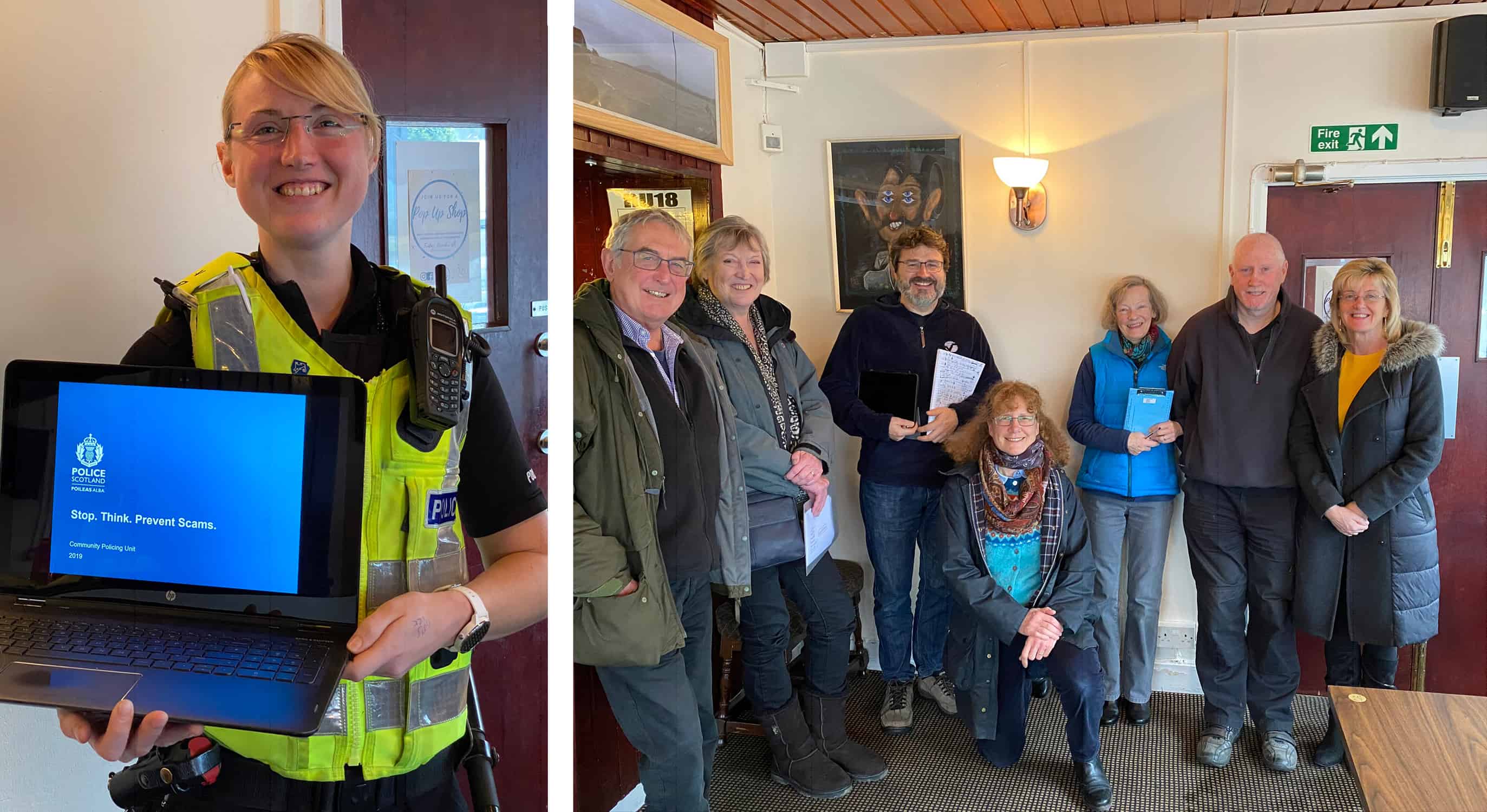
Last decade (!), Jaclyn Irving organised a Scam Session, hosted by the Nith Hotel, which a good amount of locals came to find out about how to keep themselves and their family members are friends safe online and offline. (There were quite a few more people there than in the pic, but we were too slow in getting the camera out!)
Thank you Jac for these key points from the presentation! There’s a lot of info here, but since scammers are becoming more sophisticated and trying all sorts of fraudulent scammy things, all this detail is very relevant.
Telephone Scams
- Don’t trust caller ID’s as numbers can appear to be genuine when they are not. This is known as ‘spoofing’
- These are designed to instil panic and force you into a decision. Do not rush into any decision, any legitimate person will understand that you need time to make sure the circumstances are genuine.
- Do not pay anything by money transfer service, iTunes vouchers or any other type of voucher schemes.
Corrupt Staff Scams
- Be extremely wary of unsolicited calls, emails or letters purporting to be from your bank.
- Your bank nor the Police will ever ask you to move, withdraw or transfer money.
- Never give out your pin or password details.
- You will never be asked to help investigate corrupt staff members.
Fake Police Officer Scam
- Never disclose you bank information over the telephone.
- The Police will never ask you to transfer or withdraw money from your bank account(s).
- The Police will never ask you to purchase vouchers or Jewellery and hand them over for safe-keeping.
- The Police will never ask you to lie to the Bank Teller.
- If in doubt hang up the call, wait 5 minutes then phone 101 or contact your local community constable.
Investment Fraud
- Common investment scams are: land, wine, carbon credits, gold, jewels, stocks and shares.
- Scammers do their homework!
- Cold Calling claiming to be reputable with a ‘Limited Time Offer’.
- Multiple phone calls to build a ‘relationship’.
- It takes minutes to set up a website that appears genuine – it does not make the company legitimate.
- If it is too good to be true… There are no guaranteed get-rich-quick schemes.
- Do not hand over money until you have checked the credentials of the company. Get independent evidence.
- Do not send money to someone you do not know or trust.
- Get independent financial advice and check with the Financial Conduct Authority (FCA).
Romance Fraud
- Be cautious what you post on Social Media as fraudsters will use it to ‘fill in’ missing information.
- Be cautious – if they quickly profess strong feelings for you.
- Be cautious – if their messages are poorly written or their profile is not consistent with what they say.
- Be cautious – if they ask for intimate pictures or videos of you. They may use this to blackmail you!
- Be cautious – especially if they ask for money to help a family member, pay medical bills or to come and visit you.
- Never send money, give credit card details or online account details.
- Be careful – Consider Risks – Do Research – Go Slow!
False Invoice Scam
- A combination of approaches can be used: telephone, letter, email, etc.
- May threaten that non-payment will affect your credit rating or take legal action.
- Can be for goods or services not ordered/received.
- Can be from a business you have used for work/services.
- An individual or a business can end up the victim.
- The fraudster requests that the bank details for a payment of future invoices be changed. The new account is controlled by the fraudster.
- Verify by phone, in person or from previous correspondence with supplier/business prior paying.
- Set up a Single Point of Contact with supplier/business.
Lottery Frauds
- If its too good to be true…
- If you have not bought a lottery ticket – you can not win the lottery!
- You never have to pay money in advance to collect legitimate winnings.
- Mass Marketing scams – if you respond you will be included on a ‘Sucker’s List’.
- Money Mules – It is not ok to let people put money in your bank account if you do not know the person.
- By allowing someone to use your account, you might be laundering criminal money.
- Being a Money Mule carries up to 14 years in prison – Protect yourself!
Online Scams
- Use recognised, domestic retail websites where possible.
- Do your research – check out reviews before buying.
- Use credit cards – you have more chances of getting you money back.
- Use a secure payment service – beware of money transfer service.
- Pay only on a safe device – keep your operating system and security software up to date.
- Beware of ads offering phenomenal deals or wonder products – if it sounds too good to be true…
- Beware of a pop-up ad stating you have won a prize? If you did not enter it you will not win it.
- After an online purchase if in doubt – contact your bank.
- Virus Software, run regularly, keep your software updated.
Doorstep Crime
- Sometimes work in pairs or groups and lure you out of the house to commit a theft.
- Sometimes they pretend to be Police Officer.
- Be prepared and protect yourself:
- Keep your doors locked and on the chain if caller is unexpected.
- Ask to a arrange a future appointment and have someone with you.
- Set up passwords with your utility companies.
- Call the Police if you are in doubt. A genuine tradesperson will not mind.
Malware
Malware is a term for malicious software more commonly known as viruses, the purpose of Malware is to spread from one computer to another and interfere with computer operation. They can be transmitted through email attachments, links to download files or via USB sticks.
- Damage and disruption – such as corrupting or deleting files
- Stealing information – such as keyloggers which capture information or copying files
- Hijacking systems – the most worrying of the three, this enables remote control of the system including it’s peripheral devices such as webcams. It also covers ransomware; a type of malicious software designed to block access to a computer system until a sum of money is paid. McAfee report that in the first quarter of 2019, ransomware attacks grew by 118%.
There are fantastic free antivirus software suites but please consider upgrading and paying for a reputable well known brand. Updates – the bane of modern life! But updates are usually for a reason, and that reason is usually that a hole in the defence system has been identified, possibly breached but now repaired to prevent further attacks. If your software (this includes your apps) is out of date, your information is at risk.
It’s important to know that most data breaches are not caused by malware and usually it’s an easy to guess password or using an insecure network that provides access to accounts and therefore personal information.
Why is it that when we purchase a laptop we consider buying antivirus software but not when we get a new mobile phone. Our mobile devices probably receive and send more of our personal information than any other format or device in our life. Apple’s IOS is usually pretty secure because of its encryptions and because of the limitations the software places on downloading unapproved apps. If you have a ‘jail-break’ phone be aware that you no longer have the malware protection that the IOS offers. Android users should actively encrypt their phones because unlike Apple phones they are not automatically encrypted. For both mobile phone types I would consider installing the app SOPHOS. This app has anti-malware and antivirus protection which scans apps, spam protection which filters incoming texts according to set rules, it can place texts with malicious links into a quarantine, it can also detect apps which are accessing your personal data and warn you, plus much more.
Passwrds
The all important password. The one combination of words, symbols and numbers which protect your personal information from being accessed by cybercriminals and selling it on.
- Make it long – Your enemy isn’t some guy in a ski mask trying to guess your password one try at a time. It’s a program that automatically runs through massive databases of common passwords or random combinations of characters.
- The best answer to that is a very long string of words. A bunch of plain words is pretty good. But as many hackers use “dictionary attacks” to guess regular words, it’s best to add some capital letters, special characters, or numbers.
- Don’t use a common phrase – But don’t use the same bunch of plain words as everyone else. If your password consisted of the entire script of Hamlet, it would still be unsafe if everyone else had the same password. “When in the course of human events” is a useless password. So is a famous movie line, or a Bible verse, or even an acronym of a Bible verse. And don’t get clever with thematic or personally meaningful passwords. Sometimes humans do try to crack passwords, so don’t help them out by using your son’s birthday or the phrase printed on your favourite coffee mug.
- Test your password – If you use a password manager, it’ll test your password in real time, on the safety of your computer. The sites How Secure Is My Password?, How Big Is Your Password?, and How Strong Is Your Password? test if your password is long enough. But they won’t warn you about common guessable phrases, like those Bible verses. Of course, typing your passwords into unfamiliar sites is a bad habit. These sites are safe, as they’re all publicly run by trusted developers who promise that your entered text never leaves your computer. Still, to be safe, just use these sites to get the gist before you make your real password.
- Don’t reuse your password – When your password on some web service gets hacked (and it will), you’d better hope you didn’t use the same password on three other services. Don’t use a weak password for services that “don’t matter,” because some day you might give one of those services your credit card info, or use it to authorize more important services, and you won’t think to beef up your password.
- Use a password manager – Until you do this, no matter how hard you try all the rules above, you will keep picking bad passwords. Here’s how: Your “random” string of words will be something like “monkey dragon baseball princess,” four extremely common password words, and a computer will guess it. You’ll pick something memorable, which will limit your options, and a computer will guess it. You’ll manage to make a password a computer can’t guess, and you’ll forget it, and you’ll have to replace it with a weaker password, and a computer will guess it. You’ll pick something identifiable to anyone who follows you on Twitter or Facebook—like your dog’s name—and a human will guess it. Instead, get your computer to make and remember your passwords for you. This is the only reliable but convenient way to manage the vast quantity of passwords that modern life requires. SOPHOS mobile that we just discussed also has a password manager.
- Don’t store passwords in your browser – Those can get hacked, too. Some of Opera’s saved passwords were partially hacked last year. Even Google accounts are vulnerable. A hacker doesn’t have to defeat Google’s security—they just have to trick you, and it’s a lot easier for hackers to pose as Google and request your login than it is for them to pretend to be your chosen password management app. If your Google account gets hacked, you’ll be in enough trouble without also worrying about all your saved passwords.
- Follow the rules every time – Of course, your bank, your doctor’s portal, and your library are still following the outdated security recommendations, so they’ll still force you to follow weirdly specific rules for password creation, like making you start with a letter or include one symbol. (Ironically, by lowering the number of possible passwords, these rules make them easier to crack.) First generate a random, secure password with your password manager. Then amend that password as minimally as possible to comply with the service’s specific rules. Do your password editing inside your password manager, so it can alert you if you’re turning a strong password into a weak one.
- Use two-factor authentication – While it isn’t foolproof, two-factor provides a layer of security for only a minimal loss of convenience. But not all two-factor is equally secure. Dedicated authentication apps are a lot safer than just getting a code over SMS. But both are safer than a password alone.
- Don’t ruin all this by using security questions – Security questions? More like insecurity questions! I’m fun at parties. Point is, the concept of security questions made some sense when they were used in 1906 and answered face-to-face, but they’re ludicrous now that anyone can Google up your mother’s maiden name, where you went to high school, or your favorite ice cream flavor, then call Amazon tech support and pose as you. Treat security questions basically the same way you treat your passwords: Make up fake answers, and save them in your password manager. Security questions are for talking to humans, not computers, so you don’t have to add weird characters to your answers. Instead, you want to pick wrong and uncommon answers. What high school did you go to? Scoobert Doobert High. What’s your mother’s maiden name? Blempgorf. This is where you can put all that clever energy that you’re not allowed to put into your passwords. (It’s also a decent strategy for picking that one master password that you have to memorize.)
- Remember, everything is broken – Passwords are bad and dumb. But so is everything else. Fingerprints can be stolen, two-factor texts can be rerouted, keys can be copied. Security technology is a race between the good guys and the bad guys, and it’s just impossible to have perfectly secure technology without sacrificing many of that technology’s benefits.
- So once you’ve set up your password manager, replaced all your passwords, and enabled two-factor authentication, don’t think your work is done. Some day everything will move onto a new security system, and you’ll have to adapt. That’s the price we pay for putting our lives online.
Unsecured Wifi
The most common phrase I hear Police officers saying to civilians is “if it’s too good to be true – it’s usually not good” Free Wi-Fi could come into this.
Generally you can call a network “unsecure” if there is no password or login credentials needed to access it. You just get on and surf the internet. Say you’re sitting in a coffee shop and decide you want to check your Facebook page and your email to kill some time. You scan the available networks and see one that’s open and unsecured. You connect and start surfing. Coffee and free WiFi, what could be better, right? Wrong! A hacker is also fond of coffee shops and he is located within range of the router you connected to. He’s waiting for one or more people to connect to the network so he can start a man in the middle attack. Within a few minutes, he could gain access to all your passwords, including bank accounts, emails, and anything else.
Here’s a really easy way to visualize this:
Imagine you’re mailing a letter. You put that letter in your mailbox and then the mailman picks up the letter and delivers it to the addressee. A man in the middle attack is when an unauthorized person, not employed by the post office, intercepts the letter before the mailman arrives to pick it up. This person could read the letter and even make changes to its contents before they put it back into the mailbox. This is exactly what happens in unsecured networks (only digitally). The hacker can get in and see your passwords, messages, and any other activity as it goes over the network to the internet. As you can imagine, it could be horrible if the hacker got access to your bank accounts and email. It would be especially bad if you used the same password for everything!
So what are some ways you can prevent this? Well for one, you can use a secured network that encrypts all of your data. This will make sure that your data is safe and scrambled as it travels between you and the “mailbox.” So if a hacker were to intercept your message, they would see nothing but scrambled letters. Of course, no security is 100% safe, but this encryption will help a ton.
Another thing to look for when you’re going wireless on an unknown network is that it says “https” on the address bar of your web browser. This “s” on the end of the “http” indicates SSL or secure socket layer, which means that your data is encrypted between your computer and the website you’re surfing. This is an extra layer of security that will help keep your data safe, and on most major web sites it is normally enabled by default.
If you are now super paranoid about surfing the internet away from home, I would look into setting up a VPN, this sounds dead techy but 1.1.1.1 is a cracking app that automatically sets up a VPN for free on your mobile device.
Useful Websites
- www.victimsupportsco.org.uk
- www.getsafeonline.org
- www.fca.org.uk
- www.mpsonline.org.uk to remove your address from mass marketing mailing lists
- www.tpsonline.org.uk to remove your telephone number from mass marketing call lists
- www.royalmail.com to report nuisance mail
- www.thinkjessica.com for advice and information on postal and telephone scams
- www.crimestoppers-uk.org Telephone 0800 555 111
- www.cas.org.uk Citizens Advice Scotland
- www.okrehab.org OK Rehab
Leave A Comment